01
Slow event pacing
The mod can wait before surfacing unusual events, which is part of its tension-building design.
Explore an organized dashboard for setup, version compatibility, troubleshooting, safety notes and access to the provided community archive for The Broken Script Mod.
 Loader check ✓Backup first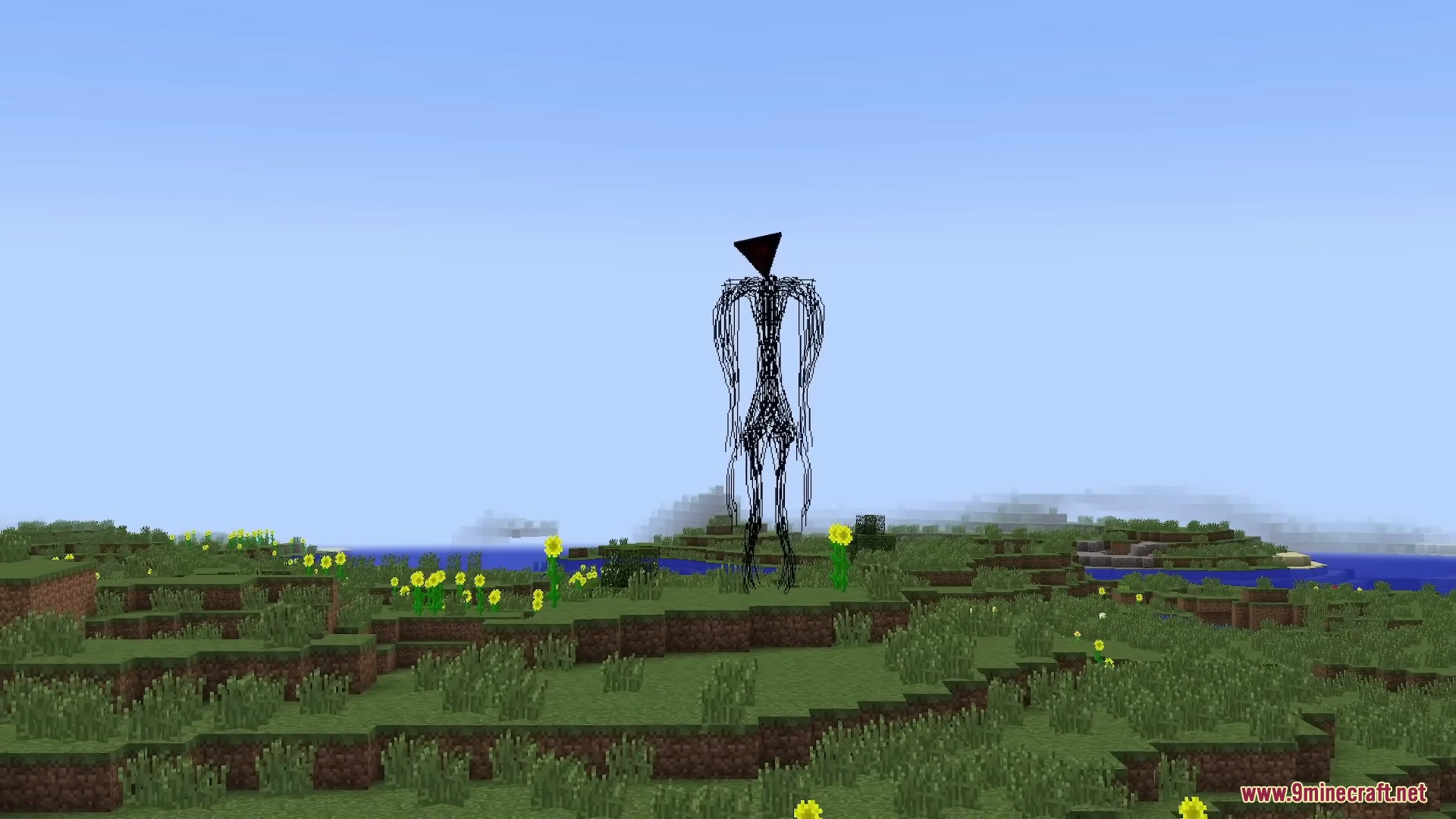
The Broken Script Mod is associated with deliberately unsettling gameplay: delayed events, anomalies, entities and disruptive effects designed to make a familiar world feel unreliable.
Use this section as a practical overview rather than a promise that every archived build behaves identically.
The mod can wait before surfacing unusual events, which is part of its tension-building design.
Unexpected entities, structures and anomalies can alter the tone of normal exploration.
Some versions are described as capable of crashes or world damage, so use a test profile and backups.
Certain releases expose settings or commands that can reduce or change disruptive effects.
Forge, NeoForge and other loader terms matter. Match the exact file to the profile you launch.
The experience leans on ambiguity, visual changes and environmental unease rather than constant action.
A controlled test profile makes it easier to identify loader problems, dependency issues and intentionally disruptive behavior.
Copy important saves somewhere outside the active Minecraft profile.
Confirm Minecraft version, loader and the exact build you plan to run.
Test without unrelated mods, shaders or resource packs first.
Only add other mods after the base setup launches correctly.
Compatibility varies by build. Treat the file's own version and loader metadata as the final authority.
| Target | What to expect | Status |
|---|---|---|
| Minecraft Java 1.20.1 | Commonly associated with Forge-era archived/community setups. | Common |
| Minecraft Java 1.21.1 | Newer related releases commonly use NeoForge. | Supported by newer builds |
| Fabric | Do not assume cross-loader compatibility unless the exact file explicitly lists Fabric. | Verify first |
| MCPE / Bedrock | This project is primarily Java-focused; unofficial ports should be treated cautiously. | Not assumed |
Because the experience may intentionally alter or disrupt play, it is better for test worlds than irreplaceable long-term saves.
Use headphones, a clean profile and a new world for the strongest controlled experience.
Creators can isolate effects in a dedicated profile before recording or streaming.
Test add-ons one by one after the base mod works correctly.
Do not mix several loader versions in one profile. A clean setup reduces false troubleshooting signals.
Pick the Minecraft release required by your mod file.
Install the matching Forge or NeoForge version when required.
Place the compatible files in the correct profile's mods folder.
Start without unrelated mods before expanding the setup.
This button uses the archive URL supplied for this website. The linked repository describes itself as an unofficial archive. Review the package before use and prefer verified official release channels for current builds.
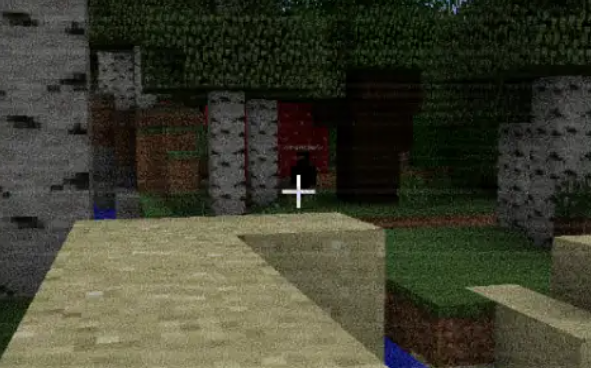
Some versions and community descriptions warn about deliberate crashes, world griefing or desktop-side effects. Keep backups, avoid unknown mirrors, test in a separate profile and do not run files that do not match the expected mod/archive format.
This mod is deliberately unconventional. What makes it memorable can also make it unsuitable for important saves.
Archived projects can contain builds from different periods. Verify version and loader before moving any file into your active profile.
Most setup failures can be narrowed down by checking the three basics first: game version, loader version and file version.
Each guide covers one practical question so you can find version, safety and compatibility information quickly.
Version matching, loader setup and clean-profile checks.
Read guide → SAFETYHow to interpret warnings and reduce avoidable risk.
Read guide → PLATFORMWhy Java-focused mod files are not drop-in Bedrock add-ons.
Read guide →Choose a category, then open one answer at a time.
It is a slow-paced Minecraft Java horror mod built around unsettling events, entities, structures and anomalies. This site focuses on setup, compatibility, archive access and safer testing practices.
Yes, the commonly distributed releases and related loader information are centered on Minecraft: Java Edition. Always verify the exact game version and loader required by the build you plan to use.
Some archived and community builds target Minecraft 1.20.1, commonly with Forge. Match the mod file, Minecraft version and loader before launch.
Forge-related 1.20.1 builds and community setups exist. Do not assume every release uses Forge because newer releases can target other loaders.
Newer community and official listings have used NeoForge for Minecraft 1.21.1. Check the release page or file metadata before installing.
Do not treat Fabric compatibility as guaranteed. If a file does not explicitly list Fabric, use the loader it was built for instead of forcing a cross-loader setup.
The mod is primarily Java-focused. Be cautious with downloads claiming to be an official MCPE or Bedrock port unless the original project confirms them.
Some effects can conflict with shaders, especially those that alter sky or moon rendering. Test without shaders first if visual events behave incorrectly.
It may, but horror events can alter or damage worlds. A fresh test world is safer, and a backup is strongly recommended before loading any important save.
Save the archive in a folder you can inspect and back up. Extract only when the specific installation instructions require it, and avoid mixing files from different versions.
The mod is intentionally disruptive as part of its horror design, and some versions are described as capable of crashes, world griefing or desktop-side effects. Use backups and verify your source before testing.
The phrase generally refers to builds with more intrusive behavior. Because version labeling can vary, read the source notes carefully and avoid unknown mirrors or repackaged files.
Common causes include a wrong loader, wrong Minecraft version, missing dependencies, conflicting mods or intentional mod behavior. Start with a clean profile to separate setup problems from designed events.
The mod is known for slow pacing. Before assuming it is broken, confirm the loader and dependencies, then allow time for events to occur.
Use any in-mod configuration options available for your version, test in a separate profile and keep backups. Exact commands or menus can differ by release.
Yes. Make a copy of the world folder before running the mod, especially if the world contains builds or progress you want to keep.
You can test it, but large modpacks increase the chance of conflicts. Start with the mod and its required dependencies, then add other mods gradually.
Some unusual effects are intentional. If the game becomes unplayable, test without shaders, resource packs and unrelated mods to rule out compatibility problems.
Use the main Download section and retry the provided archive link. If a browser blocks it, review your browser download settings rather than using an unknown mirror.
Confirm Minecraft version, mod loader and file type first. Then launch a clean profile, review the latest log, remove conflicting mods and add components back one at a time.